AI short-form video
Crayo Review: Features, Pricing And Verdict
Crayo is an AI video editor for short-form video: auto clipping, AI voiceovers, captions and story videos in one web editor. This review covers what it does, what it costs and who it suits, from the official site.
Affiliate link: opens the official website. See the disclosure below.
What Is Crayo
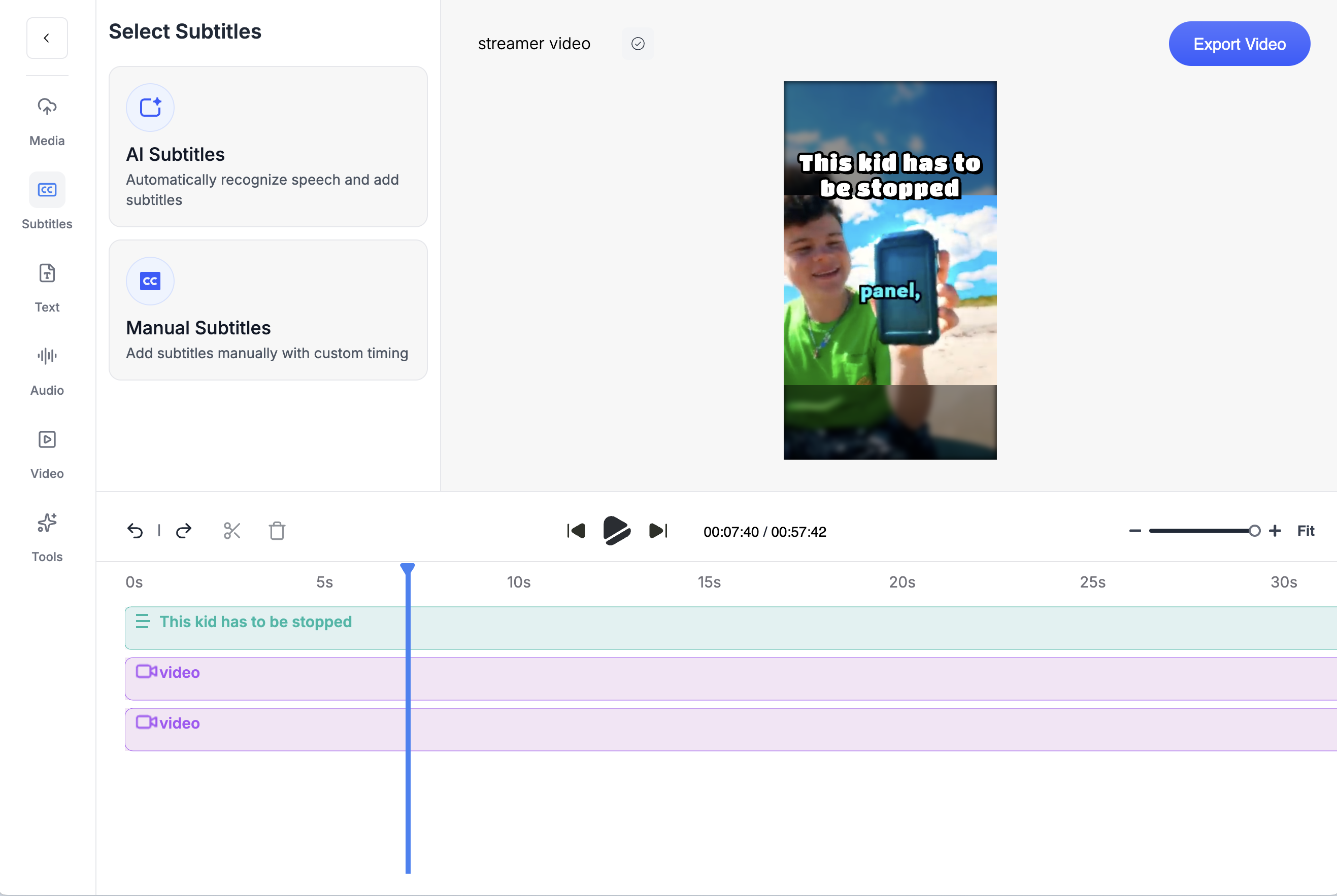
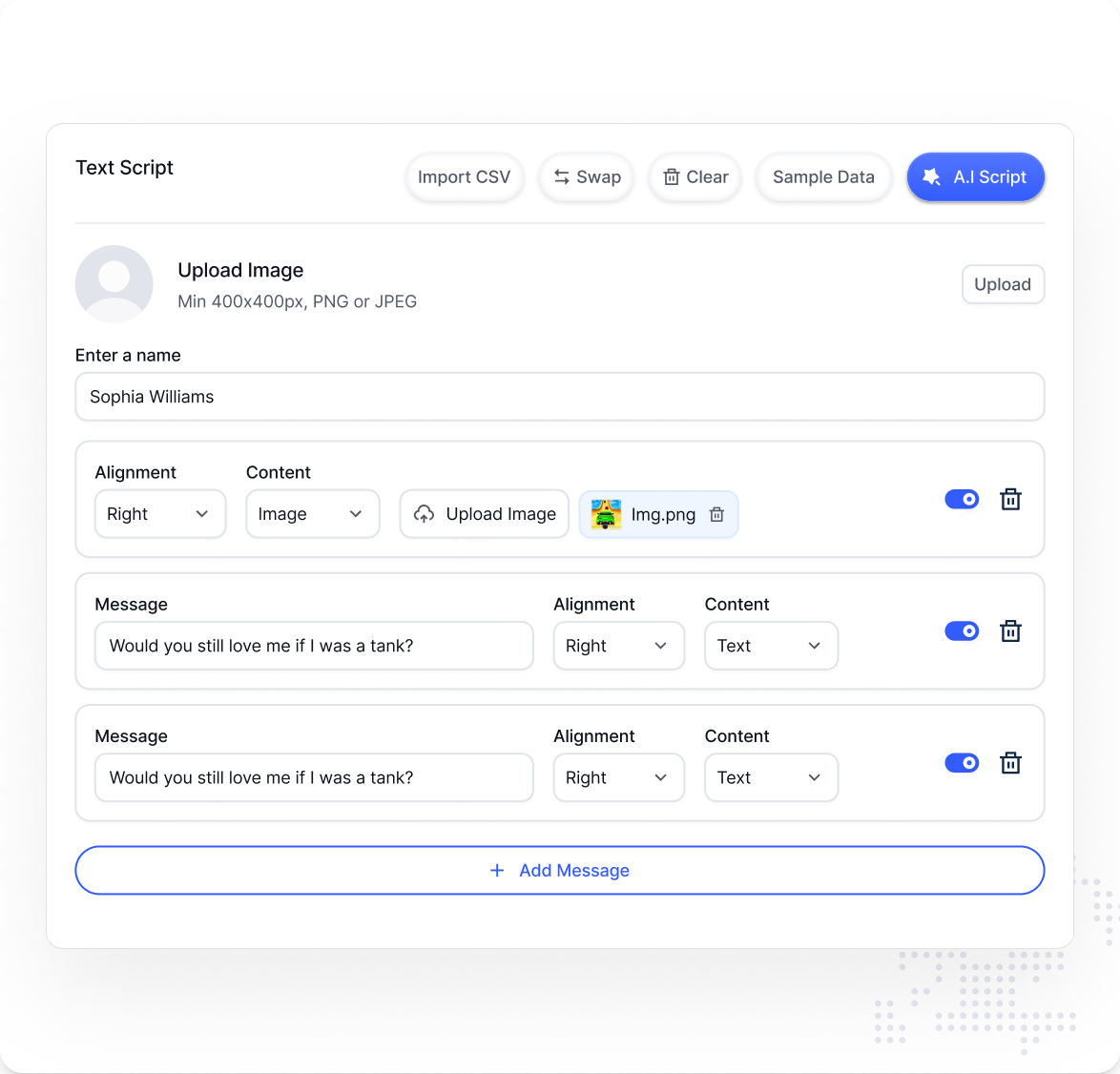
Crayo (crayo.ai) describes itself as an all-in-one AI video editor for short-form video. Its main tools are AutoClip (turning long videos into clips), AI voiceovers, subtitles with 15+ styles, Reddit story videos and fake text videos, with AI image and AI video generation, a social video downloader, a background remover and a speech enhancer alongside. Everything runs in a web editor.
How Crayo Works
The home page shows three steps: upload a video, choose a subtitle style, then generate. The result opens in the editor where you can adjust it before export.
Crayo Key Features
- AutoClip: cut long videos into short clips
- AI voiceovers and a voice changer
- Subtitles in 15+ styles
- Story formats: Reddit story videos and fake text videos
- AI images and AI video generation
- Tools: social video downloader, background remover, speech enhancer, brainstorm
More on the features page.
Crayo Pricing And Plans
| Plan | Price | Workflow credits | Export | Voiceover | AI images | Storage |
|---|---|---|---|---|---|---|
| Hobby | $13 a month, billed $160 yearly | 250 a month | 2 hours | 30 min | 100 | 25GB |
| Clipper (most popular) | $27 a month, billed $327 yearly | 1,000 a month | 10 hours | 120 min | 300 | 100GB |
| Pro | $55 a month, billed $664 yearly | 3,000 a month | 30 hours | 180 min | 500 | 500GB |
See the pricing page and the discount page.
Prices are as shown on the official pricing page on 24 October 2026. Plans and prices change, so check the live page.
Crayo Pros And Cons
Pros
- All tools included on every plan
- AutoClip, voiceovers, captions and story videos in one editor
- Cancel anytime, plan runs to the end of the cycle
- 24/7 support listed on the pricing page
- Larger plans cost far less per credit
Cons
- No refunds
- Credits do not roll over
- No free trial found
- Hobby has only 2 hours of export a month
- Monthly-billing price not shown
Is Crayo Worth It: Our Verdict
We have not used Crayo, so this verdict comes from the official pages and not from our own tests.
Who Should Use Crayo And Who Skip
A good fit
- Creators running faceless or story channels
- Clippers who cut long videos into short clips
- Anyone who wants captions, voiceovers and editing in one tool
Think twice
- Anyone who needs a refund guarantee
- People who make only a few videos a month
- Teams that need long-form editing
Is Crayo Legit And Safe
The site publishes terms of service, a privacy policy, a refund policy page and a company verification page. We cannot verify the quality of the output, and the content you make is your responsibility, so check platform rules and the rights to any material you upload.
What We Could Not Verify
- The quality of AutoClip and the AI voices.
- Whether a monthly-billing price exists.
- Processing speed and export quality.
- User reviews: we did not collect or quote any.
How To Get Started With Crayo
- Open the official site and look at the plans.
- Count the videos you make in a month and pick a plan.
- Upload a video and pick a subtitle style.
- Generate, edit and export.
Crayo Review FAQ
Does Crayo have a free trial?
We did not find one. See the free trial page.
Is there a coupon code?
We did not find one. See the discount page.
Can I get a refund?
The site says it does not offer refunds.
How do I cancel?
In settings. The plan stays active until the end of the billing cycle.
How We Wrote This
This page is based on the official Crayo website and its pricing page, read on 24 October 2026. We have not tested Crayo ourselves, so we do not claim results. Quality, speed and capability claims are the vendor's own claims. Prices, models and promotions change often, so confirm them on the official site before you pay. See how we review.