AI add-ons for Google Workspace
DocGPT Review: Features, Pricing And Verdict
DocGPT.ai makes GPT for Sheets and a set of AI add-ons for Google Workspace. This review covers what it does, what it costs and who it suits, from the official site.
Affiliate link: opens the official website. See the disclosure below.
What Is DocGPT
DocGPT.ai builds AI add-ons for Google Workspace. Its main product, GPT for Sheets, adds formulas such as GPT, GPT_TABLE, GPT_EXTRACT and GPT_TRANSLATE to Google Sheets, plus web scraping, Google search results, image generation, bulk email and lead enrichment. The site says it has 1M+ installs and a 4.8/5 rating from 1,000+ reviews, which are the vendor's own figures. It also offers an AI email assistant for Gmail, AI writing for Google Docs, AI slides and an AI quiz maker for Google Forms.

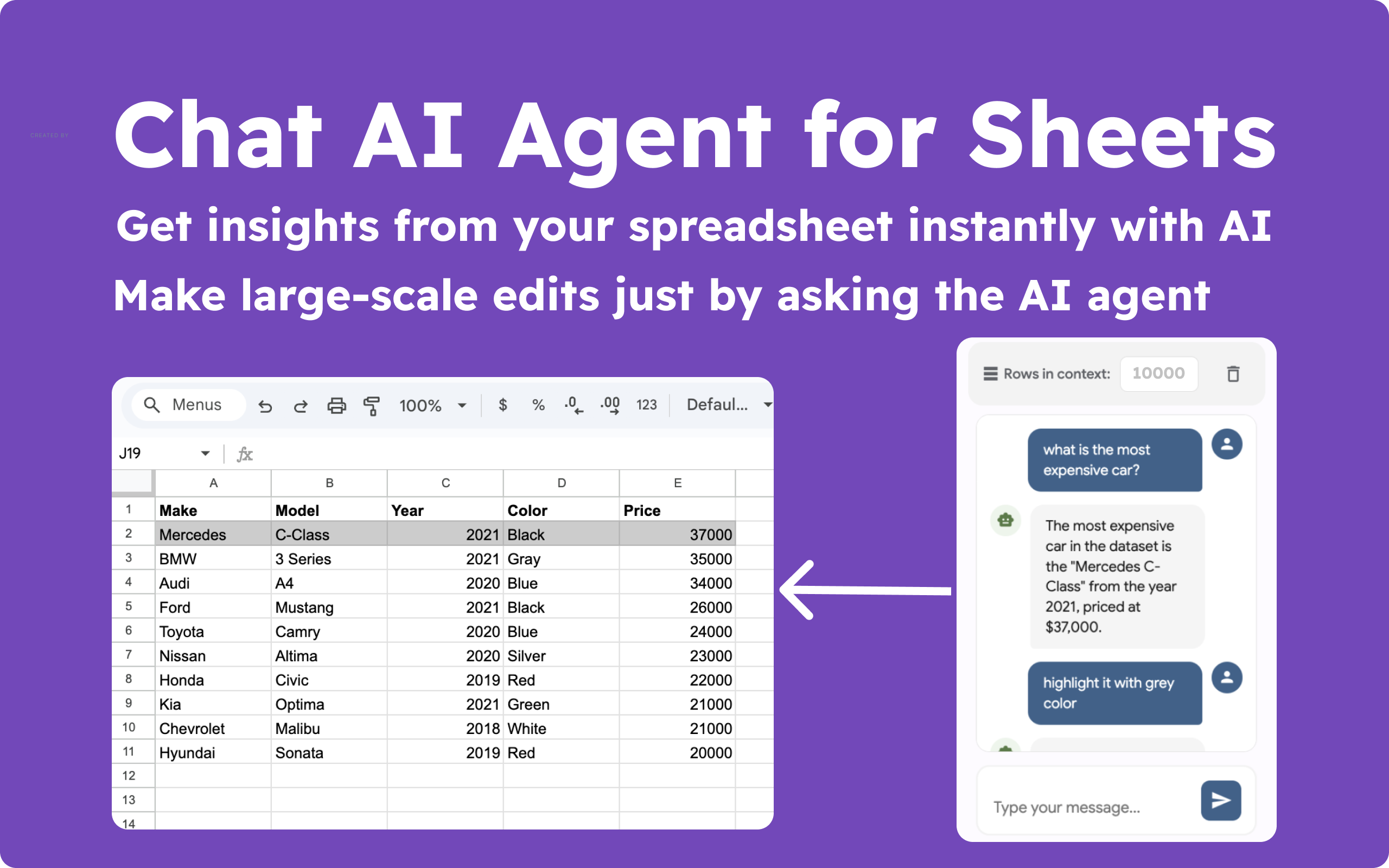
DocGPT Key Features
- AI formulas for writing, summarising, classifying and translating cells
- Many models: GPT, Claude, Gemini, Grok, Mistral, Perplexity and OpenRouter
- Web tools: scraping and Google search results in cells
- Lead enrichment with Hunter, Apollo, Prospeo and LeadMagic on Business
- Bulk email and Google indexing requests from Sheets
- Other add-ons for Gmail, Docs, Slides and Forms
More on the features page.
DocGPT Pricing And Plans
| Plan | Monthly price | Annual billing (per month) | Queries a month | API key |
|---|---|---|---|---|
| Starter | $19.99 | $11.17 ($133.99 a year) | 1,000 (1,250 on annual) | Not needed |
| Pro User | $29.99 | $9.99 ($119.99 a year) | 15,000 (17,000 on annual) | Your own |
| Business | $39.99 | $19.99 ($199.99 a year) | Unlimited | Your own |
| Lifetime | $299 once shown on the card (the FAQ says $249) | Not applicable | Unlimited | Your own |
See the pricing page and the discount page.
Prices are as shown on the official GPT for Sheets pricing page on 24 October 2026. The page also shows regional discounts and special offers, so the price you see may differ. Check the live page.
DocGPT Pros And Cons
Pros
- Works inside Google Sheets, no new platform
- Starter needs no API key
- Many AI models and web tools in one add-on
- Business plan has unlimited queries
- 30-day money-back guarantee
Cons
- Pro and Business need your own API keys
- Pricing page figures are inconsistent
- Starter is limited to 1,000 queries a month
- Enrichment tools need their own provider keys
- Company Google accounts may block add-ons
Is DocGPT Worth It: Our Verdict
We have not used DocGPT, so this verdict comes from the official pages and not from our own tests.
Who Should Use DocGPT And Who Skip
A good fit
- Marketers and SEO teams working in spreadsheets
- Sales teams enriching lead lists
- Anyone cleaning, translating or classifying columns of data
Think twice
- People who do not use Google Sheets
- Users who do not want to manage API keys
- Teams whose admin blocks Google add-ons
Is DocGPT Legit And Safe
The add-on is listed on the Google Workspace Marketplace, and the site says it does not store your spreadsheet data. We cannot verify those claims or the review count. Use a personal Google account if your company blocks add-ons, and think before sending sensitive data to any AI model.
What We Could Not Verify
- The 1M+ installs and 4.8/5 rating.
- Output quality and accuracy of the AI formulas.
- Which of the conflicting prices is correct.
- User reviews: we did not collect or quote any.
How To Get Started With DocGPT
- Install the add-on from the Google Workspace Marketplace.
- Open a Google Sheet and launch it from the Extensions menu.
- Try =GPT() on a few rows.
- Upgrade only when you know your monthly query count.
DocGPT Review FAQ
Is there a free trial?
The FAQ says the first 1,000 queries are free with no credit card. See the free trial page.
Is there a coupon code?
We found no general code, but the page mentions a regional offer. See the discount page.
Can I get a refund?
Yes, a 30-day money-back guarantee through support, as stated on the site.
How do I cancel?
The site says you can cancel anytime and keep access until the billing period ends.
How We Wrote This
This page is based on the official DocGPT website and its pricing page, read on 24 October 2026. We have not tested DocGPT ourselves, so we do not claim results. Quality, speed and capability claims are the vendor's own claims. Prices, models and promotions change often, so confirm them on the official site before you pay. See how we review.