free profile picture maker
ProfilePicture.AI Review: Features, Cost And Verdict
ProfilePicture.AI (profilepicture.ai) is a free profile picture and DP maker. It is not an AI generator. This review covers what it does, what it costs, the upsell to HeadshotPro and who it suits, from the official pages.
Open ProfilePicture.AIRead The Review
Affiliate link: opens the official website. See the disclosure below.
What Is ProfilePicture.AI
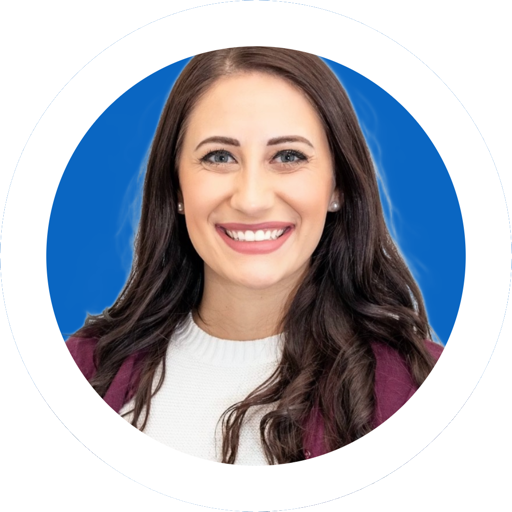
ProfilePicture.AI is a free editor in your browser. You upload a photo, it removes the background, and you add a color, gradient or pattern, a circle crop, a border and text, then download a PNG or JPEG. It is described as part of the HeadshotPro family.
ProfilePicture.AI Key Features
- Background removal that runs in your browser
- Backgrounds: solid color, gradient or pattern
- Circle crop with zoom, drag and a live preview
- Borders and frames, solid or gradient
- Text, straight or curved, for a name or handle
- Presets for Instagram, WhatsApp, Discord, YouTube, X, LinkedIn and CV
More on the features page.
ProfilePicture.AI Cost
The editor is stated to be 100% free, with no sign-up, no watermark and no credit card.
| Item | What the site says | Cost |
|---|---|---|
| Profile picture maker | Upload, remove background, crop, border, text, download HD PNG or JPEG | Free, no account, no watermark, no credit card |
| Export sizes | HD 1024, YouTube 800, WhatsApp 640, CV 600, Discord 512, LinkedIn 400, X 400, Instagram 320 | Included |
| AI studio headshots | Sold by HeadshotPro, a separate paid product linked from the page | Price not shown on this site |
See the pricing page and the discount page.
Details were read from the official ProfilePicture.AI home page and terms on 29 October 2026. The editor is stated to be free. The paid product is HeadshotPro, and its prices are not on this site, so we do not quote them. Check the HeadshotPro page for the live price before you pay.
ProfilePicture.AI Pros And Cons
Pros
- Free, with no account and no watermark
- Background removal in the browser
- One-tap sizes for the main platforms
- Works in a phone browser
Cons
- Edits a photo you already have, it does not generate a new one
- No company name or address in the terms
- The 4.7 rating may belong to HeadshotPro
- The AI headshot service is a separate paid product
Is ProfilePicture.AI Worth It: Our Verdict
We have not used ProfilePicture.AI, so this verdict comes from the official pages, not from testing.
Who Should Use ProfilePicture.AI And Who Skip
A good fit
- People who want a quick DP for Instagram, WhatsApp or Discord
- Job seekers who need a plain background for a CV photo
- Creators who need one avatar in several sizes
Think twice
- Anyone who wants an AI-generated studio portrait from selfies
- People who want to restyle clothes or lighting
- Teams that need many matching headshots
Is ProfilePicture.AI Legit And Safe
The site has terms and a privacy page, and says it is part of the HeadshotPro family. The terms name no separate company and no address, and give a support email at HeadshotPro. The no-training and in-browser claims are the vendor claim.
Your photo. The site says background removal runs in your browser and the photo is not uploaded for that step, and that HeadshotPro does not train on customer photos. We have not tested that. Only upload photos you have the right to use, because the terms make you responsible for that. We have not used ProfilePicture.AI.
What We Could Not Verify
- That background removal never uploads your photo.
- The 4.7 rating and 3,546 reviews.
- The quality of the cutout on your own photos.
- HeadshotPro prices and results.
How To Get Started With ProfilePicture.AI
- Open the editor and upload a clear, well-lit selfie.
- Remove the background and pick a color.
- Add a circle crop and a thin border, and check that hair and shoulders are not clipped.
- Download the size you need, with no account.
ProfilePicture.AI Review FAQ
Is it really free?
Yes, per the site. See the free page.
Is it an AI profile picture generator?
No. It edits your own photo. AI headshots are the paid HeadshotPro product.
Is there a coupon code?
There is nothing to discount, since the editor is free. See the discount page.
How We Wrote This
This page is based on the official ProfilePicture.AI website and terms, read on 29 October 2026. We have not tested ProfilePicture.AI ourselves, so we do not claim results. Quality, speed and capability claims are the vendor's own claims. Prices, models and promotions change often, so confirm them on the official site before you pay. See how we review.