LinkedIn content platform
Supergrow Free Trial
Supergrow offers a 7-day free trial on its listed plans. This page shows what we found and how to test it before you pay.
Start The 7-Day TrialRead What We Found
Affiliate link: opens the official website. See the disclosure below.
Does Supergrow Have A Free Trial
Yes, 7 days, on Pro and Teams. The Pro trial is the simplest way to test the interview and voice profile. The trial limits are not listed, so we cannot say whether anything is restricted during it.
How To Test It Well
- Complete the Content DNA setup honestly, as it shapes every draft.
- Run one Postcast interview and read all the drafts.
- Try repurposing one video or article.
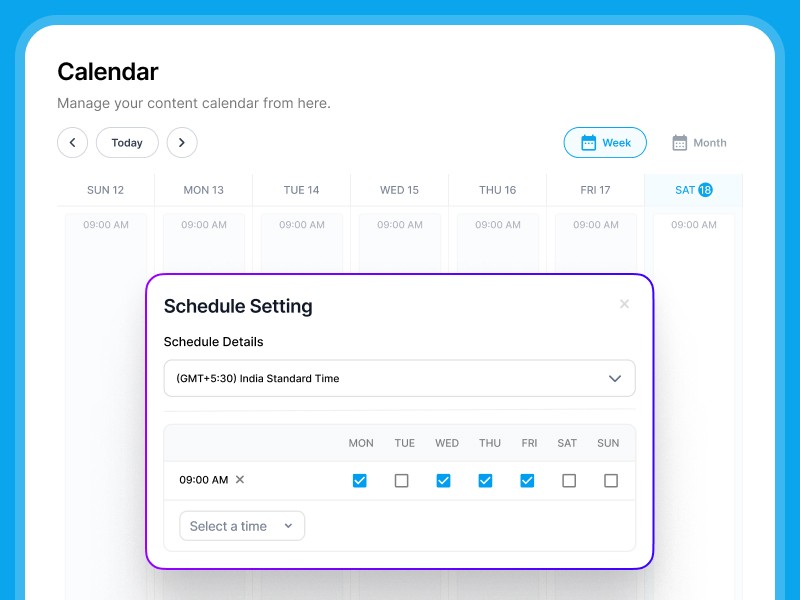
- Schedule a few posts and check the calendar and analytics, then decide.
Going Further Cheaply
- Pro is $31 a month on yearly billing or $39 monthly.
- You can start on Pro and upgrade to Teams later.
- If you do not pick a plan, the account pauses rather than charging.
Limits To Know
The pricing page says that after the 7-day trial you pick a plan or the account pauses, with no surprise charges and no data loss, that upgrades are prorated and that downgrades apply at the next billing date. No refund policy is listed. Supergrow says it connects through the official LinkedIn API and does no scraping or bot activity, but LinkedIn's own rules still apply to what you post, and posting for an executive needs their consent and your company's approval process. AI-written posts should still be checked for accuracy before publishing. This is not legal advice.
Flags on the site. The yearly toggle says "Save up to 20%", which fits Pro (about 20.5% by our arithmetic) but not Teams, where $189 against $199 is only about 5%. By our arithmetic, Teams costs $37.80 per account a month on yearly billing, which is more than Pro at $31 per account, so five separate Pro accounts would cost less than Teams on price alone, without the team features. The pricing FAQ says the admin dashboard is free, while the Teams list shows an organisation dashboard as a Teams feature. The home page FAQ describes the AI interview as 10 to 15 minutes, and the pricing FAQ says about 10 minutes. No refund policy is listed, and the page does not say whether a card is needed to start the trial. The site claims a 4.8 out of 5 rating on G2, LinkedIn Verified Partner status and use by people at big companies, and cites LinkedIn B2B Institute and Ipsos figures, so we cannot verify these.
How We Wrote This
This page is based on the official Supergrow website and its pricing page, read on 28 October 2026. We have not tested Supergrow ourselves, so we do not claim results. Quality, speed and capability claims are the vendor's own claims. Prices, models and promotions change often, so confirm them on the official site before you pay. See how we review.