LinkedIn content platform
Supergrow Review: Features, Pricing And Verdict
Supergrow (supergrow.ai) is a LinkedIn content platform that turns what you know into posts through AI interviews and a learned voice profile, then schedules and measures them. This review covers what it does, what it costs and who it suits, from the official site.
Affiliate link: opens the official website. See the disclosure below.
What Is Supergrow
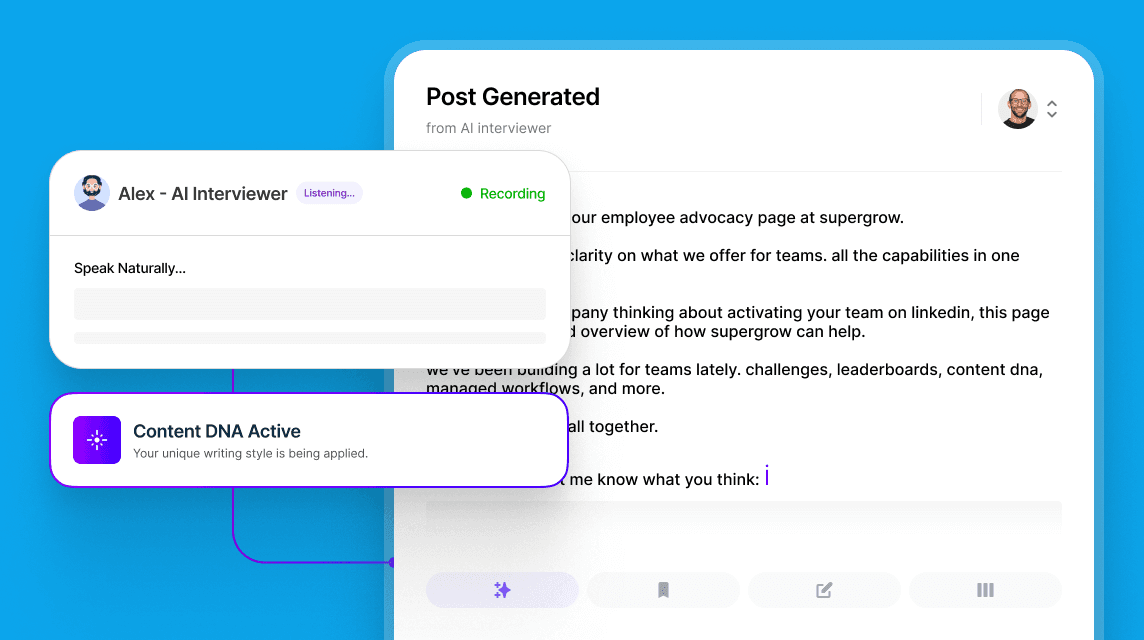
Supergrow describes itself as a LinkedIn content platform for individuals and teams. Instead of generic AI drafts, it builds a Content DNA profile of your voice, runs a short AI interview called Postcast to capture your ideas, and produces several post drafts. It can also repurpose YouTube videos, articles and PDFs, schedule posts with a calendar and first comments, help you engage on LinkedIn, and track analytics. A Supergrow MCP lets Claude or ChatGPT draft posts and pull analytics.
Supergrow Key Features
- Content DNA voice profile
- Postcast AI interviews for post ideas
- Repurposing from YouTube, articles and PDFs
- Scheduling with calendar, Kanban and auto first-comment
- Engage tools and a carousel maker
- Analytics, weekly reports and an MCP for AI assistants
More on the features page.
Supergrow Pricing And Plans
There are two listed plans, Pro and Teams, plus custom Enterprise. Yearly billing is cheaper, mostly on Pro.
| Plan | Billed yearly, a month | Billed monthly | Accounts included | Free trial |
|---|---|---|---|---|
| Pro | $31 | $39 | 1 | 7 days |
| Teams | $189 | $199 | 5 | 7 days |
| Enterprise | Custom | Custom | Custom | Not stated |
See the pricing page and the discount page.
Prices are per month in US dollars, as read from the official Supergrow pricing page on 28 October 2026, after switching between Monthly and Yearly. The page shows "Save up to 20%" next to the yearly toggle. Enterprise is custom-priced, with volume pricing and invoice billing.
Supergrow Pros And Cons
Pros
- 7-day free trial on the listed plans
- Voice profile and interview-based drafts
- Repurposing from video, articles and PDFs
- Scheduling, Kanban and analytics in one place
- Team approvals and a connection through the official LinkedIn API
Cons
- Focused on LinkedIn only
- Teams is only about 5% cheaper on yearly billing
- Teams costs more per account than Pro
- No refund policy listed
- More than 5 accounts means Enterprise
Is Supergrow Worth It: Our Verdict
We have not used Supergrow, so this verdict comes from the official pages and not from our own tests.
Who Should Use Supergrow And Who Skip
A good fit
- Founders, consultants and executives who want a steady LinkedIn presence
- Marketing teams activating up to 5 executives
- Anyone who prefers talking through ideas to writing from scratch
Think twice
- Teams that need many more than 5 accounts without an Enterprise deal
- Anyone who needs other social networks in the same tool
- Those who want a stated refund policy before paying
Is Supergrow Legit And Safe
The site says it connects through LinkedIn's official API with no scraping or bot activity, shows a LinkedIn Verified Partner badge and links a help centre. Its rating, customer and results claims are not verifiable by us. Posting on behalf of others should follow your own approval and consent rules.
What We Could Not Verify
- The 4.8 G2 rating and LinkedIn Verified Partner status.
- The company names shown as users, and testimonial results.
- The cited LinkedIn B2B Institute and Ipsos statistics.
- Whether a card is needed to start the trial.
How To Get Started With Supergrow
- Open the site and start the 7-day trial.
- Complete your Content DNA and one Postcast interview.
- Review the drafts and schedule a week of posts.
- Check analytics, then pick a plan or let the account pause.
Supergrow Review FAQ
Is there a free trial?
Yes, 7 days. See the free trial page.
Is there a coupon code?
We found none. See the discount page.
What happens after the trial?
You pick a plan, or the account pauses with no charges and no data loss, per the site.
Is it safe for my LinkedIn account?
The site says it uses LinkedIn's official API and no automation hacks.
How We Wrote This
This page is based on the official Supergrow website and its pricing page, read on 28 October 2026. We have not tested Supergrow ourselves, so we do not claim results. Quality, speed and capability claims are the vendor's own claims. Prices, models and promotions change often, so confirm them on the official site before you pay. See how we review.